
How to Choose the Right Panic-Alert Trigger for Your People and Workplace
Badges can offer tactile control in covered facilities. Apps can extend alerts to parking areas, travel and field work where badge infrastructure may not reach.
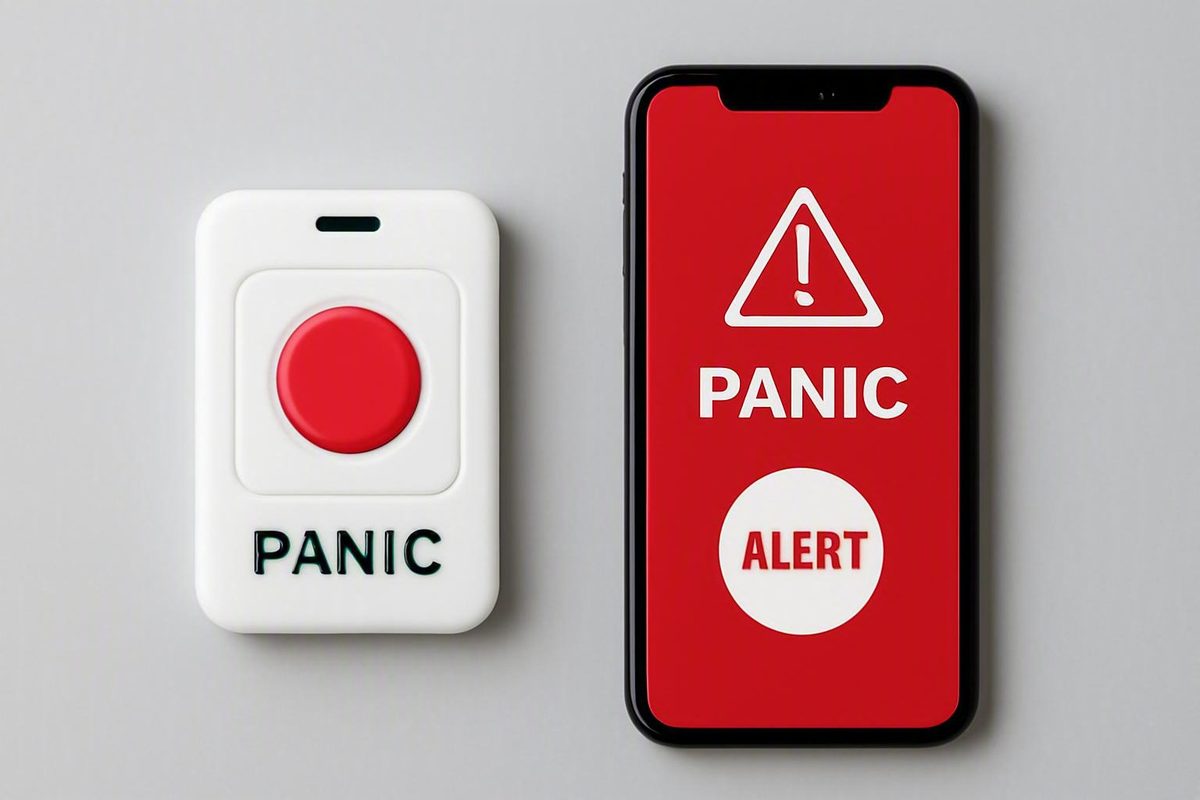
A physical panic badge and a mobile panic-alert app serve the same basic purpose: helping someone request assistance. They differ in how the user reaches the trigger, where it works, how it determines location, and which devices, networks, and supporting systems must be operating.
A wearable badge can provide a dedicated tactile control inside a properly covered facility. An app can extend alerting to parking areas, travel, client visits, field work, and other places where installed badge infrastructure may not reach. Apps may also support more detailed incident information and follow-up communication.
Neither format is universally better. The appropriate choice depends on the risk scenario, employee workflow, required location detail, device policy, infrastructure, privacy rules, and complete journey from activation to response. Buyers must also distinguish the trigger’s features from functions supplied by the wider emergency-management platform.
This comparison is best treated as a vendor-feature overview and procurement framework, not as an independently validated ranking. Most available evidence comes from manufacturers and emergency-communications vendors, particularly those serving schools and healthcare facilities. Product capabilities are therefore configuration-dependent and must be demonstrated in the intended workplace.
First, Define What Is Being Compared
In this comparison, a physical panic badge is a dedicated wearable device with one or more physical controls for initiating a request for help. It may attach to an ID badge, lanyard, reel, pocket, or uniform.
That does not necessarily make it an employee access credential. A panic badge might sit beside an access card or share its holder, but buyers should not assume that it can unlock doors, identify someone at a card reader, or perform another access-control function. Combined or integrated functions must be confirmed for the specific product.
A wearable badge also differs from a fixed panic button:
- A fixed button is installed under a desk, on a wall, at a counter, or in another known position. Its activation ordinarily identifies the installed control and its associated location.
- A wearable badge travels with its assigned user. With suitable infrastructure, a system may identify the assigned person and the badge’s current building, floor, zone, or room.
A fixed button can suit a predictable workstation such as a reception desk or cash-handling counter. Its limitation is reach: it cannot help someone who has moved away from it. A wearable can follow a moving employee, but only when the device is worn, functional, correctly assigned, and inside supported coverage.
The app side requires a similar distinction. This article compares a badge with a smartphone app used to initiate an alert. That is not the same as a responder app that merely receives a badge-generated notification. Depending on configuration, wearable, fixed, desktop, mobile, and desk-phone triggers may all feed a common notification platform (AtlasIED’s overview of panic-button formats).
The main comparison categories are:
- Activation method and user effort
- Discretion and confirmation
- On-site and off-site reach
- Indoor and outdoor location
- Connectivity and infrastructure
- Identity and incident context
- Two-way communication
- Maintenance and device management
- Privacy and cybersecurity
- Platform integrations
- Total ownership cost
- Failure behavior and redundancy
Public comparisons do not establish that either format is categorically faster, more reliable, safer, or less expensive. Treat claimed capabilities as product-specific until they have been tested with representative users, locations, networks, and response procedures.
Badge vs App Feature Matrix: The Differences at a Glance
The following matrix describes common possibilities rather than guaranteed features. “Badge” means a dedicated wearable trigger; “app” means smartphone software used to initiate an alert.
| Comparison point | Wearable physical panic badge | Mobile panic-alert app |
|---|---|---|
| Trigger method | Dedicated button using a simple press, repeated presses, or another prescribed pattern | On-screen control, press-and-hold action, safety session, check-in, shortcut, gesture, voice command, smartwatch, or paired accessory |
| Required interaction | May be activated while worn without retrieving a phone or navigating a screen | May require locating and operating a phone, although shortcuts or accessories can reduce that friction |
| Discretion | A tactile or concealed press may support silent signaling | May support silent signaling, but visible phone use can reduce discretion |
| Portability | Travels with the employee when consistently worn | Travels with the phone when the employee carries and can access it |
| Facility reach | May suit a defined facility equipped with compatible receivers, gateways, or location equipment | Depends on phone connectivity, permissions, indoor signal conditions, and application design |
| Off-site reach | Facility-oriented models may stop working outside the installed network; wide-area designs vary | May suit travel, client visits, parking areas, and field work when the phone and required connection are available |
| Indoor location | May resolve a building, floor, zone, or room through receivers, BLE, infrared, Wi-Fi, LoRa, beacons, or related infrastructure | Commonly uses phone location services; indoor granularity and consistency must be tested |
| Outdoor location | Facility-bound designs may have limited reach | Phone location services may support outdoor or moving users, subject to device conditions, permissions, and connectivity |
| Connectivity | May use a private radio network but still depends on gateways, power, software, and routing | May use Wi-Fi or cellular data; fallback and offline behavior vary |
| User identity | Often derived from assigning a particular badge to a person | Often derived from an enrolled account or managed phone |
| Incident context | May provide one alert type, multiple buttons, or distinct press patterns | May present incident categories, forms, instructions, check-ins, and contextual prompts |
| Two-way communication | Usually limited by the physical interface; confirmation may use a light, tone, or vibration | May support text, instructions, status updates, pictures, audio, and follow-up messages |
| Maintenance | Assignment, distribution, battery checks, replacement, spares, firmware, infrastructure health, and coverage testing | Enrollment, authentication, permissions, updates, operating-system compatibility, device support, and network access |
| Deployment | May require a site survey and installation of receivers, gateways, sensors, or beacons | May avoid comparable radio installation but still requires licensing, configuration, enrollment, support, and testing |
| Privacy | Questions include assignment, location collection, tracking mode, retention, and administrative access | Questions include account identifiers, phone permissions, location collection, retention, personal-device boundaries, and administrative access |
| Likely cost categories | Devices, spares, infrastructure, installation, batteries, subscriptions, integrations, monitoring, and support | Licenses, phones where required, device management, data service, integrations, monitoring, support, and administration |
| Acknowledgment, escalation, public-safety routing, reporting, and analytics | Platform- and configuration-dependent | Platform- and configuration-dependent |
The badge’s central proposition is a dedicated physical trigger that may accept a tactile action without touchscreen navigation. The app’s central proposition is software flexibility. Depending on the product, an app may collect an incident category, display instructions, start a timed safety session, conduct a check-in, share location, or carry follow-up communication.
Some vendor-described apps also let users add text, pictures, or audio to a request. That illustrates what particular applications can provide, not what every panic app includes (Global CTI Group’s sponsored overview of panic-button formats).
Location terminology requires caution. A badge’s use of BLE, infrared, Wi-Fi, LoRa, receivers, or beacons does not by itself prove room-level performance. Likewise, a phone that shares its location should not be described as exact indoors. Require the vendor to demonstrate the result at the location granularity responders actually need.
The matrix should guide a pilot rather than produce an automatic winner. An app is not effectively mobile if an employee leaves the phone in a vehicle. A wearable is not accessible if it remains in a locker or is attached to discarded outerwear.
Activation Under Stress: Access, Discretion, and False Alarms
The strongest usability proposition for a badge is direct physical access. If the device is worn in a consistent, reachable position, an employee may be able to activate it without retrieving a phone, looking at a screen, opening an app, or choosing an on-screen option.
That advantage disappears if the badge is on a desk, attached to a jacket the employee removed, depleted, damaged, incorrectly assigned, or outside coverage.
An app can introduce additional dependencies. The phone might be in a bag, across the room, locked, charging, incompatible with the current application release, or subject to an expired session. Required notification or location permissions might also be unavailable. These are evaluation scenarios, not proof that every app requires a long or fixed activation sequence.
Some apps support press-and-hold controls, release-triggered alarms, timed safety sessions, check-ins, lock-screen access, voice activation, smartwatches, or paired buttons. These designs can reduce reliance on conventional screen navigation, although availability varies by product (AlertMedia’s guide to employee panic-button apps).
Do not accept blanket claims that all apps require a specified number of steps or seconds. Compare each proposed badge and app from realistic starting conditions: device worn or stored, phone locked or unlocked, user signed in or signed out, gloves on or off, and network available or unavailable.
Discretion is a system behavior
Either format may support a silent request for help. A badge might be pressed through clothing or without obvious movement. An app might signal through a shortcut, watch, accessory, or concealed phone interaction.
Define “silent” precisely. Ask whether activation:
- Makes a sound
- Lights the phone or badge
- Displays visible on-screen content
- Produces a vibration
- Starts a local alarm
- Sends audio through nearby speakers
- Notifies only a response group or a wider audience
- Gives the initiator covert confirmation that the signal was accepted
Do not assume that silence and confirmation are the same feature. Test whether users can recognize confirmation without compromising the discretion required by the scenario.
Accessibility should be evaluated through tasks
Avoid declaring one interface accessible for everyone. Instead, include representative employees and evaluate activation with:
- Limited dexterity or grip strength
- Impaired vision
- Gloves
- One-handed use
- A phone inside a bag or pocket
- A badge under outerwear
- No ability to look at a screen
- Loud surroundings or hearing limitations
- Phone accessibility settings enabled
- Movement, stress, or competing work tasks
Record whether each user can locate the control, complete the required action, recognize confirmation, and recover from an error. Where one standard interface does not serve the workforce, consider alternative activation methods rather than assuming that training alone will solve the problem.
False-alarm protection creates an operational trade-off
Potential controls include multiple rapid presses, press-and-hold actions, recessed or guarded buttons, deliberate release patterns, vibration confirmation, and cancellation workflows. One healthcare vendor, for example, describes a badge activated by three rapid presses with vibration confirmation; that is a product-specific design rather than a category standard (Kontakt.io’s healthcare panic-button guide).
Evaluate every safeguard in realistic tasks. A protected control might reduce accidental contact but be difficult to operate with gloves. A cancellation function may help resolve mistakes, but the organization still needs rules for who can cancel, whether responders continue to see the event, and what remains in the audit record.
During drills, measure:
- Successful activation rate
- Task-completion time
- Wrong alert-category selections
- Accidental activations
- Failed attempts
- Recognition of confirmation
- Delivery and acknowledgment outcomes
- Correct cancellation
- Performance after time has passed since training
Vendor demonstrations show intended operation. A controlled workplace pilot shows whether the proposed process works for the intended users.
Coverage and Location: Room-Level Indoors vs Wide-Area Mobility
A facility-oriented badge system may identify the assigned user and derive location from installed radio and positioning infrastructure. Depending on the system, an alert may report a building, floor, wing, zone, or room.
Room-level location is not inherent to the word “badge.” Results may depend on:
- Receiver, sensor, or beacon density
- Placement and calibration
- Building layout and construction materials
- Radio conditions and interference
- Stairwells, shafts, and separation between floors
- Device orientation and how it is worn
- Software rules for resolving competing signals
- Changes to walls, shelving, or equipment after installation
For example, one vendor describes combining BLE with selective infrared to support room identification. That illustrates a particular infrastructure design, not proof that every badge identifies a room.
A mobile app commonly obtains location through the phone’s location services. This can make it relevant to employees moving through exterior lots, traveling between properties, visiting clients, or working in the field. Some apps may also update location while the person moves.
Phone-derived location still depends on the device, permissions, application behavior, connectivity, and surrounding environment. A coordinate in a large multistory building might not provide the room or floor required by responders. “GPS-enabled” should therefore never substitute for an observed indoor result.
A facility badge can have the opposite boundary. A design built around installed receivers may perform within its engineered footprint but stop communicating when the employee leaves it. Some wearables add wide-area connectivity, but that capability is product-specific. Require a marked coverage map and a clear explanation of what happens at and beyond the boundary.
Location policy matters as much as location technology. Determine whether the badge or app:
- Determines location only after activation
- Collects location during a user-started safety session
- Updates location for a limited period after activation
- Collects location routinely
These modes create different operational and privacy consequences. Document the enabled mode, who can view the data, and how long it remains available.
Test more than central corridors and conference rooms. Include:
- Stairwells and elevators
- Basements and mechanical areas
- Exterior lots and parking structures
- Detached buildings
- Loading docks
- Restrooms and enclosed rooms
- Upper and lower floors in the same vertical position
- Known radio, Wi-Fi, or cellular dead zones
- The boundary between covered and uncovered property
- A person moving during and after activation
Set acceptance criteria at the level the response plan requires. If responders need a room, a floor-only result is insufficient. If the main scenario involves field workers, strong indoor location at headquarters does not address the primary requirement.
Dependencies and Failure Modes for Both Options
Every alert method has a dependency chain. Compare both options from the initiating action through responder acknowledgment.
For a wearable badge, the chain may include:
- Correct assignment
- Consistent wearing or carrying
- Adequate battery
- A functioning physical control
- Supported radio coverage
- Operating receivers, gateways, beacons, or sensors
- Correct location and routing configuration
- Available local or cloud software
- Working integration paths
- Monitored responder endpoints
For a mobile app, the chain may include:
- A compatible phone
- Immediate access to the phone or paired control
- Adequate battery
- A functioning operating system and application
- A valid login or active session where required
- Enabled permissions
- Applicable Wi-Fi or cellular connectivity
- Available backend services
- Successful notification delivery
- Monitored responder endpoints
A badge described as independent of ordinary Wi-Fi or cellular service is not independent of infrastructure. A private radio design still relies on its badge battery, coverage, gateways or controllers, power, configuration, routing software, and potentially a cloud backend. One school-focused product, for example, uses a dedicated LoRa network and BLE beacons instead of district Wi-Fi or cellular service—substituting one infrastructure chain for another rather than eliminating dependencies (Raptor’s badge product description).
Likewise, do not assume that an app always becomes unusable when its ordinary navigation path or one network is unavailable. Verify lock-screen activation, hardware shortcuts, alternate transmission paths, queued delivery, store-and-forward behavior, SMS fallback, and any claimed offline mode. Establish whether “offline” means the event is delivered through another route or merely recorded until connectivity returns.
Operational failures deserve equal attention. Badge scenarios include non-wear, loss, assignment errors, depleted batteries, physical damage, changed coverage after renovations, and unavailable spares. App scenarios include deletion or offloading, expired sessions, replacement phones, reset permissions, operating-system restrictions, unavailable phones, and conflicts between personal-device rules and emergency procedures.
Use an outage test grid:
| Test condition | Badge questions | App questions |
|---|---|---|
| Electrical power loss | Which components have backup power, and what functions remain? | Which network and backend components remain available? |
| Internet loss | Can local alerts still route, and which integrations stop? | Can another path deliver the alert, or is it queued? |
| Wi-Fi loss | Is badge transmission independent, and can responder endpoints still receive alerts? | Does cellular data take over? |
| Cellular loss | Does any part of the badge chain use cellular service? | Can Wi-Fi or another supported route take over? |
| Gateway failure | Is there overlapping coverage or automatic fault reporting? | Are local gateways or integration appliances involved? |
| Backend unavailable | Is there local routing or another service path? | Is there an alternate delivery route? |
| Depleted battery | How is low battery detected and resolved? | What happens when the phone cannot start or operate the app? |
| Disabled permissions | Which assignment or location functions are affected? | Can the alert still be sent, and what identity or location is omitted? |
| No acknowledgment | Who is escalated, after what interval, and through which channel? | Who is escalated, after what interval, and through which channel? |
Neither format guarantees delivery, acknowledgment, dispatch, or a particular outcome. Evaluate redundancy end to end. Two triggers that feed the same unavailable backend are not fully independent, and multiple notifications do not help if they all reach unattended endpoints.
What Happens After the Trigger Is Pressed
The trigger is only the first step. Trace the complete emergency journey:
- Activation: The user performs the required action.
- Transmission: The badge or app sends the event.
- Resolution: The platform determines available identity, location, and alert type.
- Delivery: Notifications go to configured recipients and connected systems.
- Acknowledgment: A responder accepts or confirms the event.
- Escalation: The system follows configured rules if delivery fails or nobody responds.
- Dispatch: Internal or external resources are sent according to policy.
- Communication: The initiator or wider workforce receives instructions and updates.
- Cancellation: An authorized person corrects a false or resolved alert.
- Review: The organization closes, documents, and evaluates the incident.
Either trigger may feed internal security, administrators, designated colleagues, a monitoring center, or public-safety integrations. The device type alone does not determine the recipient.
Possible delivery channels include:
- Responder mobile apps
- Push notifications
- SMS and email
- Desktop alerts
- Desk phones
- Speakers and public-address systems
- Digital signage and screen takeovers
- Strobes
- Integrated nurse-call systems
Vendor material shows that wearable buttons, mobile apps, mounted controls, keyboard shortcuts, and desk-phone controls can feed common critical-communications software, which may then distribute messages across several endpoints (Singlewire’s overview of layered panic-alert interfaces).
A badge usually has a limited interface. It may provide one button, multiple buttons, colors, or press patterns representing different requests. Available categories are product-specific.
A phone screen can provide more context. Depending on the application, the initiator may select an incident type, read instructions, begin a check-in, add text, send a picture or audio, receive a responder message, or update status. Extra choices can be useful when communication is possible, but the highest-stress pathway should remain straightforward.
Many features commonly attributed to a badge or app actually belong to the supporting platform:
- Responder acknowledgment
- Escalation rules
- Mass notification
- Lockdown automation
- Camera or access-control integration
- Public-address activation
- Reporting and analytics
- Drill records
- Incident documentation
- User and device administration
Compare complete, equivalently configured systems. A badge demonstration may appear more capable because it is connected to a sophisticated platform, while an app demonstration may show only its trigger screen.
Require clear answers to these questions:
- How does the initiator know the event was transmitted?
- How does the system confirm delivery?
- Must a responder acknowledge the alert?
- What happens if nobody acknowledges?
- Can escalation use an independent route?
- Who can cancel an alert?
- Does cancellation erase, close, or annotate the incident?
- What does the audit log retain?
- Which functions require third-party monitoring?
- Which integrations require separate licenses?
- What information reaches external responders?
- Who tests and maintains external routing?
Never infer direct emergency-service or law-enforcement routing from the presence of a badge or app. Such routing may depend on a monitoring service, separate application, third-party integration, and locally approved configuration. Verify the full route with the appropriate internal advisers and relevant authorities before testing or deployment.
Deployment, Maintenance, Privacy, and Total Cost
A badge deployment is more than a purchase of wearable controls. Depending on the product, it may require:
- Site and radio surveys
- Receivers, gateways, sensors, or beacons
- Network and backend configuration
- Maps and response-group configuration
- Physical distribution and assignment
- Battery monitoring, charging, or replacement
- Spare inventory
- Lost-device procedures
- Firmware and software maintenance
- Routine coverage and activation testing
Facility layout, building materials, dead zones, gateway density, and existing infrastructure can affect wireless deployment. These should be treated as design and acceptance-test variables rather than assumed away (MOKOSmart’s workplace panic-button deployment guide).
An app avoids some dedicated wearable infrastructure but introduces other requirements:
- User and administrator licenses
- Compatible employer-issued or personal phones
- Installation and enrollment
- Mobile-device management where applicable
- Identity and authentication configuration
- Required permissions
- Operating-system and application updates
- Network access
- Help-desk support
- Retesting after device or software changes
An app may be configured faster than a new facility radio network, but faster configuration does not mean zero-cost deployment. Enrollment is also not proof of readiness. Confirm that the app remains installed, users stay authenticated where necessary, permissions remain enabled, and employees remember how to activate it.
The supplied evidence does not support declaring either format cheaper. Calculate the total ownership cost for the actual workforce, facilities, and coverage area.
Total-cost worksheet
| Cost category | Questions to calculate |
|---|---|
| Trigger hardware | How many badges, fixed buttons, accessories, and spares are required? |
| Phones | Must the employer issue compatible phones to some or all users? |
| Site work | Are surveys, design, cabling, lifts, permits, or after-hours installation needed? |
| Network equipment | What receivers, gateways, beacons, sensors, servers, or backup-power systems are required? |
| Software | Are licenses priced per user, device, site, responder, or module? |
| Installation | Who installs, configures, calibrates, maps, and accepts the system? |
| Integrations | What do access control, cameras, nurse call, public address, monitoring, or external routing cost? |
| Monitoring | Is a staffed service required or optional? |
| Replacement | What will lost badges, damaged devices, batteries, and replacement phones cost? |
| IT administration | How much time is needed for enrollment, authentication, permissions, updates, and support? |
| Training and drills | What are the costs of initial training, refreshers, exercises, and backfill? |
| Testing | Who performs activation, outage, coverage, and escalation tests? |
| Support | What support hours, service levels, on-site services, and replacement terms are included? |
Bring-your-own-device policy
If personal phones are part of the design, decide:
- Whether installation is optional or expected
- Whether the proposed approach is consistent with organizational policy and applicable requirements
- What data administrators can see
- Whether the application affects data or battery use
- What happens when an employee declines
- What happens when a phone is incompatible, broken, or unavailable
- Whether an employer-issued device or physical alternative is available
Do not build the only emergency path around universal personal-phone participation unless the organization has confirmed both policy and practical availability. Obtain jurisdiction-specific legal and labor advice where necessary.
Privacy should be compared symmetrically
A badge is not automatically less invasive than an app. Either may collect identity, device, incident, and location information. Ask:
- What data is collected?
- Is location collected only after activation, during a safety session, or routinely?
- Can administrators see current or historical location?
- Which device and account identifiers are stored?
- How long are alerts, messages, pictures, audio, and location records retained?
- Can records be exported?
- Who can access them, and are accesses logged?
- Which vendors or third parties receive the data?
- How are departed employees and reassigned devices removed?
- Can safety data be used for another purpose?
Cybersecurity review should be framed as due diligence rather than an assumed product property. Examine user and administrator authentication, role-based access, alert integrity, encryption, assignment controls, integration credentials, security logging, retained incident records, software updates, and revocation procedures for a lost badge or compromised phone.
Choosing a Badge, an App, or a Layered System
Choose by scenario rather than by product category alone.
A badge may be a strong fit when employees face immediate duress inside a defined, instrumented facility and need a dedicated tactile trigger with demonstrated indoor location support.
A mobile app may be a strong fit when employees travel, work alone, cross multiple properties, visit clients, or need check-ins, contextual information, and follow-up communication.
Consider these bounded examples:
- Nurse in a covered hospital room: A badge may provide tactile activation and room-oriented location if the installed system demonstrates that capability. A responder app may then carry acknowledgment and coordination.
- Teacher moving through a campus: A badge may provide a consistent on-site trigger, while an app may deliver instructions, accountability updates, or communication after activation.
- Receptionist: A fixed under-desk button may suit the normal workstation. A wearable can extend access when the receptionist moves away, while an app may cover travel between properties.
- Parking attendant: An app or supported wide-area wearable may be appropriate if the facility badge network does not cover exterior lots or structures.
- Field technician: An app-based safety session or check-in may fit changing locations when the phone and required connectivity are available.
- Social worker visiting clients: An app may support location sharing, timed check-ins, contextual information, and follow-up messaging. A paired physical accessory may reduce reliance on screen operation.
A layered design may combine:
- Wearable badges for higher-risk on-site roles
- Mobile apps for off-site or occasional users
- Fixed buttons at predictable workstations
- Desktop or keyboard shortcuts
- Desk-phone controls
- Shared emergency-management software
- Multiple responder and workforce notification channels
Layering can broaden access and reduce dependence on one initiating method, but it also adds integration, governance, training, privacy, testing, and maintenance work. Staff must understand which trigger to use, responders must recognize every event type, and administrators must keep multiple device populations operational.
Use a final procurement scorecard:
- User accessibility: Can representative employees activate the trigger under realistic constraints?
- Coverage: Where does it work, and where does it stop?
- Location performance: Does it consistently produce the building, floor, room, or outdoor result responders require?
- Delivery and acknowledgment: How are transmission, delivery, failure, and responder acceptance confirmed?
- Outage behavior: What survives power, internet, Wi-Fi, cellular, gateway, and backend failures?
- Privacy: When is location collected, who can see it, and how long is it retained?
- Device policy: Who supplies, carries, updates, and replaces the badge or phone?
- Integrations: Which functions are native, separately licensed, or supplied by third parties?
- Maintenance: How are batteries, assignments, permissions, updates, dead zones, and system health managed?
- Full cost: What will deployment, operation, support, replacement, training, and testing cost?
Finish procurement with a controlled pilot involving representative roles, shifts, buildings, and field locations. Test normal activation, locked-phone operation, unavailable or depleted devices, dead zones, outages, incorrect assignments, disabled permissions, false alerts, cancellation, lack of acknowledgment, escalation, alternate delivery, incident closure, and audit-log retrieval.
Record completion rates, errors, location results, delivery outcomes, acknowledgment behavior, and user feedback. Correct failures and repeat the test. A successful vendor demonstration is not proof that the complete workplace process is ready.
Finally, obtain jurisdiction-specific advice on legal, labor, privacy, accessibility, public-safety routing, testing, and documentation obligations. Compliance depends on the complete implementation and operating process, not merely on whether the trigger is a badge or an app.
Frequently Asked Questions
Is a physical panic badge the same as an employee access-control badge?
No. A physical panic badge is a wearable alert trigger. It may be clipped beside an ID or access card, but it should not be assumed to unlock doors or serve as an access credential.
Some products may combine functions or integrate panic alerts with access-control systems. Confirm what the wearable itself does, what requires another credential, and what is supplied by an integration.
Is a physical panic badge always faster than a mobile panic-alert app?
No. A worn tactile control may reduce activation steps because the user might not need to retrieve and navigate a phone. That advantage depends on the badge being worn, accessible, functional, correctly assigned, and within coverage.
App activation also varies. Products may offer lock-screen controls, gestures, voice commands, watches, paired accessories, or timed check-ins. Compare the proposed products through realistic task testing rather than relying on fixed step counts or vendor claims.
Can panic badges or mobile apps work without Wi-Fi or cellular service?
Sometimes, but working without ordinary Wi-Fi or cellular service does not mean working without infrastructure.
A badge may use a private radio network while still depending on its battery, radio coverage, receivers or gateways, power, routing software, backend, and responder endpoints. An app may switch between Wi-Fi and cellular data or offer another fallback, but behavior varies.
Test Wi-Fi loss, cellular loss, internet loss, backend unavailability, and local power loss separately. They are different failure conditions.
Do panic badges and apps track employee location continuously?
Not necessarily. A system may determine location only after activation, during a user-started safety session, for a limited period after activation, or as part of routine operation.
Do not infer tracking behavior from the device type. Ask what is collected before and after activation, who can view current or historical information, how long records are retained, and whether settings can vary by role.
Should an organization use both wearable badges and a mobile panic app?
Possibly. Badges may address immediate on-site duress, while apps may cover field work, travel, parking areas, check-ins, and follow-up communication. Fixed controls and desktop shortcuts can add access at predictable workstations.
Using several triggers does not automatically improve outcomes. It also adds licenses, integrations, administration, training, privacy decisions, testing, and maintenance. Add a layer when it addresses a defined coverage or usability gap and the organization can manage the resulting complexity.
The right choice follows the risk scenario and the complete alert journey. A badge may provide a lower-friction physical trigger inside a properly covered facility; an app may extend reach and communication for mobile or off-site workers. In either case, separate trigger features from platform functions, calculate full ownership costs, define privacy rules, and test both normal operation and failure conditions before deployment.