
Choose the Right Duress Trigger for Each Worker and Location
Dedicated hardware may still rely on receivers, gateways, networks or cloud software. Indoor location, outages and response workflow also shape the choice.
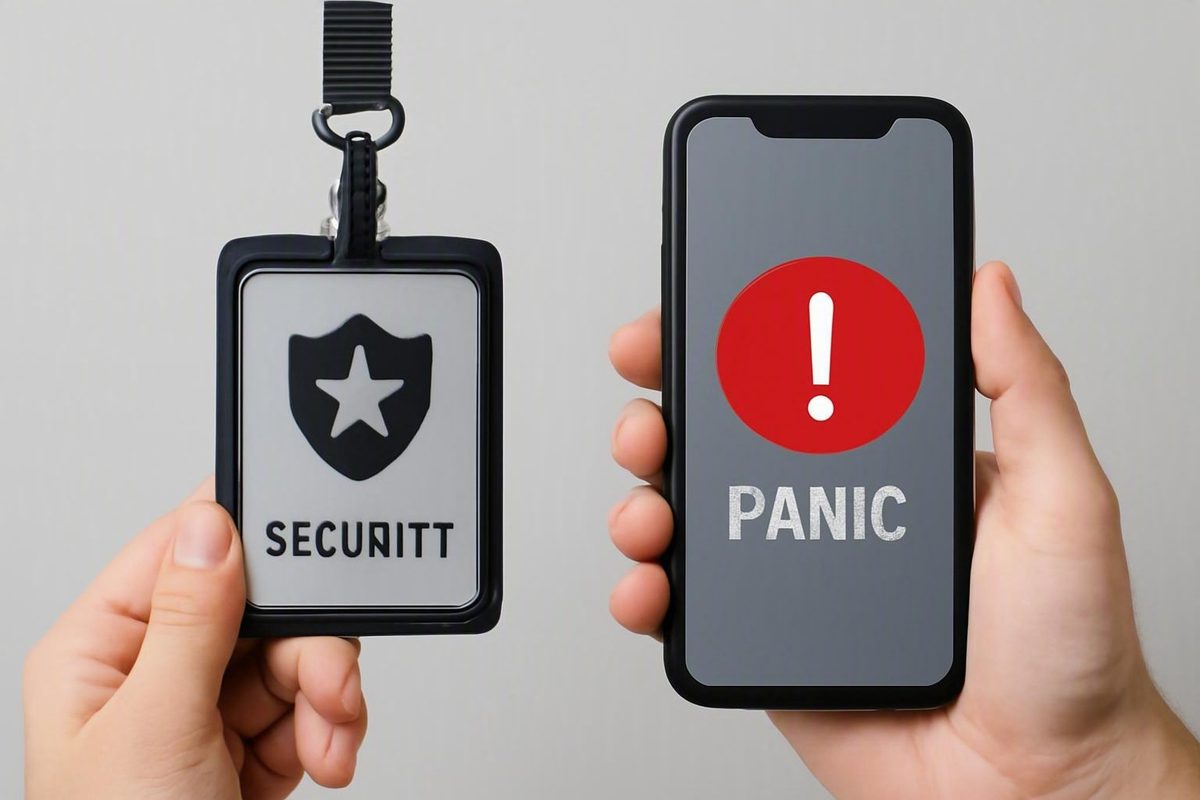
The most important physical security badge vs mobile panic alert app differences emerge at the moment of use: Can the worker reach the trigger? Will the alert transmit from that location? Does it provide useful location information? Who receives it, and what happens if the first recipient does not respond?
A wearable panic badge provides a dedicated physical control. A mobile panic-alert app uses a phone or tablet and may add communication, check-ins, location sharing, and other workforce-safety functions. Neither format is universally safer, faster, or more reliable.
Contained workplaces may shortlist wearable hardware when staff need a reachable trigger and indoor location information. Dispersed workers may evaluate an app or an independent LTE/GPS wearable. Organizations with varied roles may need both, connected to one tested response process.
Evidence note: Most publicly available comparisons used for this guide are vendor-authored or sponsored. They describe possible product architectures but do not provide independent, category-wide measurements of activation speed, delivery reliability, location accuracy, false alarms, cost, or emergency outcomes. Treat the comparisons below as procurement hypotheses to verify—not as proven performance rankings.
First, Clarify What “Physical Security Badge” Means
“Physical security badge” is ambiguous. It can refer to:
- An employee credential used to unlock doors
- A wearable panic device attached to an ID badge
- A combined device supporting access control and panic activation
- A separate panic button worn on the same lanyard as an access credential
For this comparison, a wearable panic badge means a dedicated alert device worn on a lanyard, clipped to clothing, carried as a key fob, or attached to an employee’s ID badge. Vendor literature distinguishes personal badges and key fobs from stationary buttons and mobile app controls, although form and functionality vary by product (ProdataKey’s overview of panic-button formats).
A panic button attached to an ID badge is not necessarily the credential that unlocks doors. The attachment method describes where the device is worn, not what it does. If combined access-and-panic functionality matters, require documentation identifying:
- Credential technology and access-control compatibility
- Panic activation method
- Provisioning and assignment process
- Available integrations
- Behavior when either the access or panic function is disabled
- Procedures for loss, revocation, replacement, and reassignment
Buyers may encounter at least six formats:
| Format | What the user operates | Mobility |
|---|---|---|
| Fixed panic button | A button installed under a desk, on a wall, or at another known point | None |
| Portable badge or key fob | A dedicated device assigned to or carried by a worker | Moves with the worker |
| Badge-mounted panic button | Dedicated hardware attached to an ID badge or lanyard | Moves with the worker |
| Independent LTE/GPS wearable | A dedicated mobile device with its own wide-area connectivity and positioning capabilities | Potentially on-site and off-site |
| Desktop software control | A software button or keyboard command on a workstation | Limited to the workstation |
| Smartphone panic-alert app | An interface on a phone or tablet | Moves with the phone |
Fixed and mobile triggers solve different problems. A fixed control identifies the location where it was installed. A wearable or app follows its user, although reporting the user’s current position depends on the proposed location technology. Office-system guidance similarly separates wearable, fixed, and computer-based controls (911Cellular’s description of office panic-button types).
This guide compares dedicated wearable panic hardware with an app whose primary interface is a phone or tablet. Fixed and desktop controls remain relevant because they may be better choices for specific roles.
Do not assume either category includes fall detection, room-level positioning, two-way audio, direct emergency-service routing, lockdown initiation, geofencing, or access-control integration. These are product-specific capabilities. Verify them in the quoted configuration—not merely elsewhere in the vendor’s portfolio.
Badge vs App at a Glance: The Decision Matrix
The following table summarizes common proposal patterns, not guaranteed category behavior. A sophisticated wearable may offer app-like communication, while an app may use a smartwatch or physical companion button.
| Decision factor | Wearable panic badge | Mobile panic-alert app |
|---|---|---|
| Primary control | Dedicated physical button | Phone or tablet interface |
| Phone dependence | May work without a paired phone but still depend on receivers, gateways, networks, cellular service, or cloud software | Generally depends on an accessible and correctly configured phone |
| Possible activation path | Reach the device and press, hold, or press repeatedly | Access the phone or shortcut and initiate the request |
| Possible shortcuts | The dedicated button is the shortcut | Product may support a lock-screen control, gesture, voice command, smartwatch, hardware key, or accessory |
| Discretion | May be operable without looking at a screen | May support silent activation, but visible phone use may be impractical in some settings |
| Coverage model | May be facility-bound or independently cellular | Usually follows the phone’s available networks and configured location services |
| Indoor location | Proposed systems may use receivers, gateways, or beacons | GPS alone may not identify the correct room; extra infrastructure may be proposed |
| Outdoor or off-site location | Available in certain LTE/GPS devices | May use phone location services, subject to configuration and permissions |
| Incident context | May send preconfigured identity, location, or alert information | May permit alert types, text, pictures, audio, video, or status updates |
| User communication | May be one-way or include acknowledgment indicators, sound, or audio functions | May support messaging, calls, updates, check-ins, and two-way communication |
| Maintenance | Assignment, wearing compliance, batteries, damage, loss, firmware, spares, and infrastructure testing | App and operating-system updates, authentication, permissions, battery use, connectivity, and login compliance |
| Privacy questions | Determine whether location is reported only during activation or more broadly | Determine whether the app uses event-only location, tracking, breadcrumbs, geofencing, or check-ins |
| Infrastructure questions | May involve receivers, beacons, gateways, Wi-Fi, LoRaWAN, LTE, subscriptions, or cloud services | Requires compatible devices and may involve device management, Wi-Fi, cellular service, and cloud services |
| Shortlist hypothesis | Consider for contained environments requiring a dedicated physical trigger | Consider for dispersed teams or roles needing communication and workforce-safety functions |
The badge’s defining advantage is narrow but meaningful: the worker can operate a dedicated physical control without first opening an app, provided the badge is being worn or carried, remains charged, and can be reached.
The app’s defining advantage is also narrow: it can use a device workers may already carry and can support richer information when the selected product provides it. Vendor-described app configurations include GPS sharing, messages, check-ins, timed monitoring, status updates, and companion hardware, but combinations vary substantially (SafetyCulture’s comparison of mobile panic apps).
Dedicated hardware is not necessarily infrastructure-free. A wearable may depend on receivers, gateways, beacons, Wi-Fi, LoRaWAN, LTE, cellular coverage, GPS, cloud processing, or a combination. An app may depend on phone access, charge, operating-system support, permissions, authentication, connectivity, and user compliance. These are architecture questions, not universal traits; vendor comparisons describe different models and should be tested locally (Pinpoint’s vendor-authored badge and app comparison).
There is no defensible category-wide winner in the available evidence. No supplied source independently measures badge-versus-app activation time, alert-delivery rate, false-alarm rate, location accuracy, or emergency outcomes.
Use this initial rule of thumb only to build a shortlist:
- Contained facility with an immediate physical-trigger requirement: evaluate wearables.
- Geographically dispersed workforce: evaluate mobile apps and independent LTE/GPS wearables.
- Mixed workforce: consider multiple triggers feeding one response workflow.
Activation Under Stress: Reachability Matters More Than Feature Count
A wearable may use a short interaction sequence:
- Reach the worn or carried device.
- Press, hold, or press the button a specified number of times.
- Look or listen for any available transmission or acknowledgment signal.
Trigger patterns differ. Some devices use a hold duration or repeated presses to reduce accidental activation. One vendor, for example, describes a brief hold while also identifying Bluetooth, Wi-Fi, cellular, GPS, gateways, and indoor beacons as possible parts of a deployment (Coram’s wearable panic-button overview). That is a product description, not a category standard.
An app may require the worker to:
- Retrieve the phone.
- Wake and unlock it or authenticate.
- Find the app, notification, or safety control.
- Select an alert type, if required.
- Initiate the request.
- Confirm or wait for acknowledgment.
That sequence is not universal. Products may offer lock-screen controls, gestures, voice commands, smartwatches, Bluetooth accessories, hardware keys, press-and-release mechanisms, timed sessions, or missed-check-in escalation. Vendor app guidance describes several such models while also identifying login and navigation as possible barriers (AlertMedia’s explanation of panic-button app workflows).
A dedicated trigger can reduce interaction only when:
- Employees consistently wear or carry it.
- It remains reachable during the duties and incidents being planned for.
- Users remember the activation pattern under stress.
- The device is operational and within its supported coverage.
- Staff understand the available confirmation and cancellation signals.
A badge left in a locker, hidden under protective equipment, transferred to another employee, or worn beyond reach is not an accessible trigger. A phone stored in a bag, prohibited in a controlled area, mounted in a vehicle, or occupied by another task may be equally inaccessible.
Discretion is situational. Either format may support a silent request. A badge may sometimes be pressed without looking away or visibly using a phone. In other roles, handling a phone may appear routine. Test the anticipated confrontation or work setting rather than relying on a quiet demonstration.
Accessibility also requires hands-on evaluation. Neither the supplied evidence nor product category alone establishes which interface is more accessible. Include users with differing dexterity, vision, hearing, speech, and cognitive needs, and assess:
- Button size, shape, force, and tactile differentiation
- One-handed activation
- Visual, audible, and vibration feedback
- Screen contrast, text size, and screen-reader behavior
- Authentication and timeout behavior
- Whether users can distinguish a successful alert from a failed attempt
- Whether a person unable to speak can provide enough information to initiate help
Vendor-authored system guidance recommends unobstructed physical controls usable by people with disabilities and reduced login barriers for mobile systems (Avigilon’s emergency alert system guide). Treat these as evaluation principles, not proof that a particular product is accessible.
Accidental-alert prevention and cancellation should be explicit procurement requirements. Ask about:
- Hold duration or multi-press activation
- Physical or on-screen confirmation
- Separate duress codes
- Cancellation windows
- Cancellation authority
- Whether cancellation reaches every notified party
- Logs for activation, delivery, acknowledgment, escalation, and cancellation
- Investigation and retraining after accidental or failed activation
Demonstrations should include gloves, occupied hands, low light, movement, noise, realistic clothing, locked phones, and silenced phones. The test should also determine whether safeguards prevent avoidable alerts without making deliberate activation impractical.
Coverage and Location: Indoor Positioning Is Not the Same as GPS
“Location enabled” is too vague for a purchasing requirement.
Facility-oriented proposals may use installed receivers, gateways, or Bluetooth Low Energy beacons to associate a device with a room, floor, or zone. Such information is useful only if the infrastructure has been designed, mapped, maintained, and tested for the actual building.
Phone apps may use GPS and other configured phone location services. These can support broad geographic positioning for outdoor, traveling, or off-site users, but they should not be assumed to identify the correct indoor room or floor. Require the vendor to explain the source of every location value and how indoor precision is achieved.
Physical devices also use different coverage models:
- Facility-bound wearable: communicates through installed infrastructure and may stop working outside the designed coverage area.
- Independent LTE/GPS wearable: uses its own cellular and positioning capabilities and may operate off-site without a paired phone.
For example, Vestige describes a product using cellular networks and GPS rather than relying solely on a paired phone (Vestige’s LTE/GPS wearable description). That architecture illustrates what one device may do; it must not be generalized to other badges.
Proposals may reference Wi-Fi, cellular or LTE, LoRaWAN, Bluetooth, GPS, gateways, and indoor beacons. Ask the vendor to diagram the complete route from trigger to response destination, identifying every device, network, service, integration, and fallback.
The following is a buyer-created risk checklist. It identifies possible exposures to test, not verified behavior for every product.
| Failure condition | Possible wearable exposure | Possible app exposure | Procurement test |
|---|---|---|---|
| Phone battery depleted | Independent badge may remain available | App may be unavailable | Test low-battery warnings and alternate triggers |
| Badge battery depleted | Badge may be unavailable | App may remain available | Test status reporting, inspections, and spares |
| Poor cellular service | May affect cellular wearables | May delay or block an app path | Test each carrier and documented fallback |
| Wi-Fi failure | May affect Wi-Fi-dependent paths | May affect an app without cellular fallback | Observe failover and administrator visibility |
| Gateway failure | May disable or degrade a badge coverage area | May matter if the app uses local infrastructure | Test redundancy, health alerts, and replacement |
| Beacon failure | May degrade room or zone information | May affect an app using the same positioning layer | Confirm how degraded location is displayed |
| GPS limitations | May reduce location usefulness | May reduce location usefulness | Compare indoor, outdoor, and transition behavior |
| Cloud interruption | May interrupt routing or management | May interrupt routing or management | Test documented local operation and recovery |
| Facility power failure | May affect receivers, networks, or charging | May affect Wi-Fi and charging | Test backup power and dependency monitoring |
| Lost device | May remove protection or misassign identity | May disable access or expose an account | Test revocation, reassignment, and access controls |
| Disabled permissions | Usually less relevant to dedicated hardware | May affect location, notifications, or background operation | Test permission changes and administrator visibility |
| Outdated app or operating system | Not applicable to a standalone badge | May create compatibility or login problems | Test update policy and supported versions |
No supplied evidence supports a universal promise of complete coverage, exact indoor location, no signal gaps, or operation without network dependencies. A vendor may describe a badge as operating without cellular service, for example, while the system still relies on its configured LoRaWAN network and connected software (Raptor’s wearable badge FAQ).
Require location performance to be defined separately for:
- Rooms
- Floors
- Zones or departments
- Outdoor campus areas
- Parking lots and garages
- Remote or detached buildings
- Public roads and off-site travel
Then conduct a physical walkthrough. Test stairwells, elevators, basements, mechanical areas, loading docks, parking facilities, remote buildings, outdoor boundaries, and transitions between location technologies. Record not only whether an alert arrives, but whether the displayed location would help a responder find the worker.
What Happens After the Press?
The trigger is only the beginning. A complete response chain includes:
- Activation: The worker completes the required action.
- Transmission: The device sends the request through the available path.
- Platform receipt: The central system receives and processes it.
- Delivery confirmation: The system determines whether notifications reached their destinations.
- Responder acknowledgment: A person or dispatch function accepts responsibility.
- Escalation: Additional recipients are contacted if the first recipient does not act.
- Dispatch: Internal security, supervisors, a monitoring center, or emergency services are sent as configured.
- On-scene response: Responders locate and assist the worker.
- Cancellation or resolution: The incident is closed without conflicting instructions.
- Review: Timing, location, actions, logs, and failures are examined.
Either format may identify the user, provide location or alert type, notify internal teams, connect to a monitoring service, or participate in an emergency-service workflow. Actual behavior depends on the selected product, subscriptions, integrations, configuration, and local arrangements.
Apps may permit text, pictures, audio, video, check-in status, or live updates. A wearable may prioritize physical activation and send preconfigured identity, location, or incident information. Sponsored product material illustrates an integrated configuration in which a mobile request can include a picture, text, or audio while a wearable supports programmable incident types and multiple connectivity methods (Government Technology’s sponsored overview of panic options).
Additional context can help classify a medical event, threat, maintenance emergency, or routine assistance request. It should not be a prerequisite for initiating the urgent response. The first action should send the minimum information responders need; additional context should remain optional when the user has time and capacity to provide it.
Possible product-specific integrations include:
- Access control
- Camera display or recording
- Intrusion and alarm systems
- Lockdown workflows
- Desktop alerts and screen takeovers
- Public-address systems
- Digital signage and strobes
- SMS, email, calls, and push notifications
- Incident-management and accountability platforms
Define each integration precisely. “Integrates with cameras” could mean a dispatcher can manually open a nearby feed, or it could mean automatic video display and recording. “Integrates with access control” might mean locking selected doors, unlocking a response route, or merely displaying door status. Require a workflow diagram and live test.
Vendor pages describe such routing in certain configurations, but that does not establish universal availability, performance, or legal compliance. Validate the proposed route with the relevant local authority. Confirm what information arrives, how the user or device is identified, how location is represented, what changes off-site, and what happens when the integration is unavailable.
For every proposed system, obtain clear answers to these questions:
- Who monitors alerts during normal hours?
- Who monitors after hours, on weekends, and during holidays?
- Does the sender receive transmission, delivery, and acknowledgment confirmation?
- What happens if the first recipient does not respond?
- Is escalation automatic, manual, or both?
- Is two-way communication available?
- Who owns the alert until closure?
- Who can cancel an internal or external response?
- How are duplicate alerts reconciled?
- What information appears in the incident record?
A fast trigger does not guarantee an effective response. An alert can be activated successfully and still fail operationally because no one acknowledges it, the location is unusable, the contact list is stale, or escalation stops with an unavailable recipient.
Operations, Privacy, Cybersecurity, and Total Cost
Product demonstrations emphasize activation.
The following checklists are proposed procurement controls, not a complete standard or evidence of what every system requires.
Wearable operations checklist
- Assign each device to a worker, role, or shared pool.
- Provision identity, site, alert types, and escalation rules.
- Establish wearing requirements.
- Inspect attachments, lanyards, buttons, and protective cases.
- Track missing, damaged, and unreturned devices.
- Charge devices or replace batteries on schedule.
- Maintain tested spares.
- Apply firmware updates where applicable.
- Test receivers, gateways, beacons, and network connections.
- Revoke or deprovision devices when roles change.
- Reconcile assignments with the employee directory.
- Document cleaning procedures where relevant.
App operations checklist
- Define supported phones and operating-system versions.
- Decide whether personal phones are permitted.
- Establish bring-your-own-device and reimbursement rules where needed.
- Determine whether mobile-device management is required.
- Manage app and operating-system updates.
- Configure authentication and account recovery.
- Monitor or test required permissions.
- Evaluate battery use in normal and tracking modes.
- Address cellular and Wi-Fi availability.
- Monitor installation, login, and check-in compliance.
- Revoke access promptly when employment or role assignments change.
Privacy depends on configuration rather than form factor. A badge may transmit location only after activation or report status more broadly. An app may use event-only location or support tracking, breadcrumbs, geofencing, timed sessions, and routine check-ins. Do not infer the collection model from the device type.
Adopt a written policy stating:
- What location, identity, and device data are collected
- When collection begins and ends
- The operational reason for each data element
- Who can see live and historical information
- How long information is retained
- How records are deleted
- Whether data may be used for attendance, discipline, or performance management
- How workers are informed and, where applicable, asked for consent
- How access and correction requests are handled
These are proposed policy questions, not jurisdiction-specific legal advice. Applicable privacy, employment, labor, records, and consent requirements should be checked for each deployment location.
Cybersecurity review should likewise examine the proposed architecture rather than assume one form factor is safer. Ask the vendor to document:
- Encryption in transit and at rest
- Account security and multifactor authentication
- Role-based access and administrative privileges
- API and integration controls
- Emergency-event and administrative audit logs
- Vulnerability reporting and remediation
- Software and firmware update practices
- Device and account revocation
- Data residency and backup arrangements
- Incident-response responsibilities
Also ask who can impersonate a user, change escalation rules, export location history, or disable a device. If the platform connects to cameras, doors, mass notification, monitoring services, or employee directories, include every integration in the security review.
Do not assume an app is cheaper because it uses an existing phone or that a badge is cheaper because it performs a narrow function.
| Cost category | Wearable | App |
|---|---|---|
| Dedicated devices | Common | Possible for companion hardware or employer-issued phones |
| Receivers, beacons, and gateways | Possible | Possible for indoor positioning |
| Installation and site surveys | Possible | Possible |
| Cellular service | Possible for cellular wearables | Employee or employer phone plans |
| Software licenses | Common | Common |
| Monitoring service | Product-dependent | Product-dependent |
| Loss and replacement | Device replacement | Phone or accessory implications |
| Charging and batteries | Direct operating requirement | Phone charging and battery support |
| Mobile-device management | Usually limited | Potentially substantial |
| Training and drills | Required operational category | Required operational category |
| Support and administration | Required operational category | Required operational category |
| Expansion | Devices and possibly infrastructure | Licenses, devices, and administration |
Compare costs over a three- to five-year planning horizon per protected worker and protected location. Include installation labor, administration, expected replacement, subscriptions, training time, support, and expansion rather than evaluating only the initial quote.
The available evidence does not support quantitative category-wide conclusions about cost, battery life, false alarms, maintenance burden, or cybersecurity quality. Those factors vary by product, architecture, use, workforce behavior, and service agreement.
Which Format Fits Which Workplace Scenario?
The right shortlist begins with duties and environment, not an industry label. The following scenarios are conditional evaluation starting points rather than proven outcome recommendations.
Hospitals and behavioral-health settings: Evaluate a wearable when staff need a reachable physical trigger while moving between rooms and when visible phone use may be impractical. If room, floor, or zone information is required, test the proposed indoor-positioning architecture. This identifies requirements; it does not establish superior outcomes.
Schools and campuses: A layered proposal may combine wearable buttons for classrooms, hallways, athletic areas, and parking lots with mobile or desktop interfaces for maps, acknowledgment, updates, and broader notification. Vendor school-safety guidance presents wearables, apps, fixed controls, and connected software as potentially complementary (Navigate360’s discussion of layered school panic systems).
Home healthcare, field service, delivery, and travel: Evaluate an app or independent LTE/GPS wearable when protection must follow workers among customer locations, outdoor areas, and public roads. Apps may offer timed check-ins, safe-arrival workflows, messages, or updates. A cellular wearable may merit evaluation when phone access cannot be assumed.
Retail and hospitality: Separate customer-facing or phone-restricted roles from management and coordination roles. A dedicated trigger may suit workers who cannot reliably handle a phone. An app may suit personnel responsible for receiving updates, sharing context, or coordinating a response. Verify these assumptions with each role.
Reception desks and fixed workstations: A fixed under-desk or wall-mounted control may be more appropriate than either mobile format. It identifies a known activation point and can remain available without requiring another worn device or phone interaction. Add a mobile trigger if the worker regularly leaves the station.
Lone workers: Routine monitoring and immediate duress are different functions. An app may support timed sessions, missed-check-in escalation, or safe-arrival notices. A dedicated wearable may provide an immediate physical trigger. Where the risk assessment supports both, connect them to one escalation and incident-management process.
Use this decision tree:
-
Does every protected worker reliably carry an accessible, charged, managed phone during all relevant duties? - No: Shortlist wearables or fixed controls. - Yes: Continue comparing both formats.
-
Is room-, floor-, or zone-level indoor location required? - Yes: Evaluate and test installed indoor positioning for the proposed badge or app. - No: Broader site or geographic location may be sufficient.
-
Must protection continue off-site? - Yes: Evaluate an app or independent LTE/GPS wearable. - No: A facility-bound wearable may remain suitable.
-
Is silent activation necessary, and could visible phone use increase risk? - Yes: Prioritize a reachable dedicated trigger or a demonstrated discreet shortcut. - No: An app may remain practical.
-
Does the worker require hands-free or automatic functions? - Yes: Investigate voice activation, fall detection, no-motion alarms, timed monitoring, or companion controls, verifying each feature separately. - No: A manual trigger may be sufficient.
-
Are personal phones restricted or unavailable? - Yes: Consider organization-issued devices, dedicated wearables, or fixed controls. - No: Define the privacy, support, and management conditions for app use.
-
Can the organization install and maintain local infrastructure? - No: Avoid infrastructure-intensive architectures unless the demonstrated location benefit justifies the burden. - Yes: Compare infrastructure-based indoor location with alternative designs.
-
Do users need to exchange messages, media, or status updates? - Yes: Include an app or another communication interface. - No: A preconfigured wearable alert may be sufficient if responders receive the necessary information.
The result may differ by role. Standardize the response workflow even when you do not standardize the trigger.
Run a Pilot Before Selecting a Winner
Because most available comparisons are vendor-authored, a local pilot is the primary way to determine whether a proposed system meets the organization’s requirements.
Start with a scorecard:
| Evaluation area | Questions and measures |
|---|---|
| Trigger accessibility | Can each role reach and operate it during normal duties and simulated stress? |
| Activation safeguards | Are hold, multi-press, confirmation, and cancellation controls appropriate? |
| Alert latency | How long passes from activation to platform receipt and recipient delivery? |
| Confirmation | Does the user know whether the request was sent, delivered, and acknowledged? |
| Acknowledgment | Who accepts ownership, and how quickly? |
| Escalation | What happens when the first recipient is unavailable? |
| Indoor location | Is the room, floor, or zone useful enough for responders? |
| Outdoor location | Does the system usefully identify campus, parking, and off-site positions? |
| Outage behavior | What remains available during network, gateway, cloud, or power failures? |
| Accessibility | Can actual users with differing capabilities operate and understand it? |
| Privacy | Is collection limited, transparent, controlled, and auditable? |
| Administration | Can staff provision, revoke, update, inspect, and report on the system? |
| Integrations | Do doors, cameras, notifications, maps, and other systems perform the intended workflow? |
| Total cost | What is the multiyear cost per protected worker and location? |
Before testing, define the protocol:
- Set pass/fail criteria from the organization’s risk assessment and response capacity.
- Specify the number of repeated trials for each role, site, shift, and failure condition.
- Define what counts as a failed activation, failed delivery, unusable location, missed acknowledgment, or unsuccessful cancellation.
- Establish maximum acceptable times for receipt, acknowledgment, and escalation.
- Record both ordinary and worst observed results rather than relying only on averages.
- Weight failures by consequence; a cosmetic map issue is not equivalent to an undelivered alert.
- Document devices, operating systems, network conditions, locations, clothing, permissions, and test times.
- Decide in advance how product changes or retests will affect scoring.
The evidence does not supply universal performance thresholds. Each organization must set them according to its risks, staffing model, dispatch arrangements, and realistic response capability.
Require vendors to classify submitted evidence as:
- Independently measured result
- Vendor field measurement
- Technical specification
- Demonstration result
- Customer-reported experience
- Marketing claim
A specification is not a measured outcome. A successful conference-room demonstration is not a coverage test. A nominal integration is not a completed response workflow.
The pilot population should represent different roles, shifts, buildings, clothing, phone models, operating systems, and network conditions. Include employees who work at desks, move between rooms, work outdoors, travel off-site, or cannot carry personal phones.
Test at least:
- Locked and inaccessible phones
- Depleted phone and badge batteries
- Disabled location or notification permissions
- Weak or unavailable Wi-Fi
- Weak or unavailable cellular service
- Gateway or beacon failure
- Cloud-service interruption
- Facility power failure
- Movement between rooms and floors
- Elevators, stairwells, basements, and parking areas
- Remote buildings and outdoor boundaries
- Off-site use
- Night, weekend, and holiday escalation
Measure the end-to-end path:
- Activation success
- Platform receipt
- Alert-delivery time
- Responder acknowledgment time
- Escalation behavior
- Dispatch path
- Usefulness of reported location
- Cancellation handling
- Incident closure
- Completeness of logs
Include accidental activations and missed check-ins. Determine whether the design prevents avoidable errors without making deliberate activation too difficult. Test verification, cancellation, recipient updates, records, and retraining procedures.
Accessibility testing should involve actual users. Document any role for which neither default interface is adequate, then evaluate fixed controls, adapted accessories, alternative wearing methods, organization-issued devices, or other accommodations.
If a vendor proposes direct emergency-service routing, confirm the route and location handoff with the relevant local authority. Do not assume a feature demonstrated elsewhere will operate identically in every jurisdiction or from every worker location.
After deployment, schedule recurring drills, coverage tests, software and firmware updates, contact-list reviews, battery inspections, inventory reconciliation, and post-incident analysis. Review near misses and accidental alerts as well as successful activations.
The final selection principle is straightforward: assign the most suitable activation method to each role and environment, then connect every method to one tested response workflow. Start with phone accessibility, required coverage, location detail, response procedures, privacy constraints, and maintenance capacity—not feature count alone.
Frequently Asked Questions
Is a physical panic badge the same as an employee access-control badge?
Not necessarily. A physical panic badge may be a dedicated alert device attached to an employee’s ID badge or worn on the same lanyard. That does not establish that it unlocks doors. Some products may combine or integrate the functions, but the quoted product documentation must confirm both capabilities (ProdataKey’s description of personal panic devices).
Is a panic badge faster to activate than a mobile panic-alert app?
A dedicated badge may require fewer interactions because the worker can press it without retrieving and navigating a phone. That does not prove every badge is faster in practice: it must be worn, reachable, operational, and understood. Apps may also offer shortcuts or companion hardware. Compare both through repeated, realistic timed tests (AlertMedia’s discussion of app activation paths).
Can a wearable panic badge work without a phone, Wi-Fi, or cellular service?
Some badges can work without a paired phone or cellular service, but every system has dependencies. A proposed badge may use receivers, LoRaWAN, gateways, Bluetooth beacons, Wi-Fi, LTE, or cloud software. A product using no cellular connection may still depend on a configured local network and platform (Raptor’s description of a LoRaWAN badge system).
Can a mobile panic app provide an exact indoor location?
Do not assume so from GPS or a generic “location enabled” claim. An app may provide useful geographic positioning, but room-, floor-, or zone-level information may require additional indoor-location infrastructure. Require separate demonstrations for rooms, floors, outdoor areas, parking facilities, and off-site locations (Pinpoint’s vendor comparison of indoor and mobile location models).
Should an organization deploy panic badges and mobile apps together?
Possibly. A layered deployment can use badges for physical activation and apps for maps, acknowledgment, messaging, check-ins, or incident updates. It may also serve workers who cannot carry phones alongside those who work off-site. The additional coverage must justify the licensing, administration, training, privacy, and integration burden, and both interfaces should feed the same tested response process (Navigate360’s layered-system discussion).